
Coming soon onGoogle Play Coming soon toApp Store
A private money ledger
Bank SMS in.
A ledger out.
Your bank already texts you every rupee that moves. myXpns reads those alerts and files them as real transactions — credits, debits, accounts, running balances. It happens on your phone, and it stays on your phone.
- No internet permission
- You filter the SMS
- Nothing posts without your yes
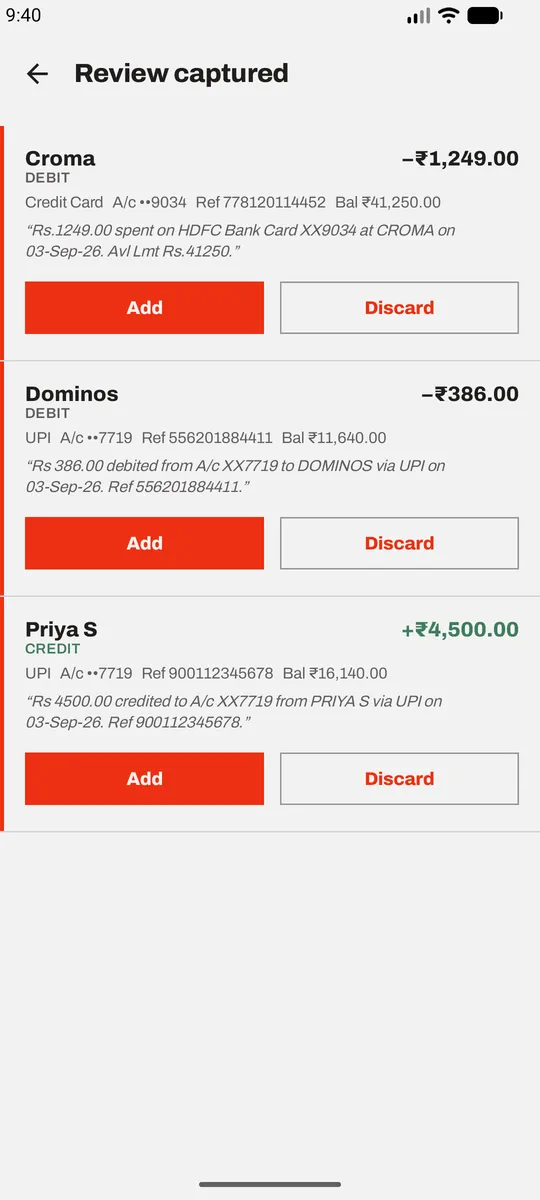
Rs.1249.00 spent on HDFC Bank Card XX9034 at CROMA on 03-Sep-26. Avl Lmt Rs.41250.
Available balance ignored — a balance is not an amount.
Queued for your review — it is not in the ledger until you say so.
The privacy model
The app has no
internet permission.
That is not a promise in a policy document. It is a property of the binary.
Without android.permission.INTERNET, myXpns is structurally
unable to send your financial data anywhere — no analytics, no crash
reporting, no cloud sync, no "anonymous telemetry". None of it is possible
without adding a permission and rebuilding the app.
You don't have to take our word for it. It is one line in a file you can read.
<!-- what myXpns asks for -->
<uses-permission android:name="android.permission.RECEIVE_SMS"/>
<uses-permission android:name="android.permission.POST_NOTIFICATIONS"/>
<uses-permission android:name="android.permission.USE_BIOMETRIC"/>

<!-- what it does not, and cannot, ask for -->
<uses-permission android:name="android.permission.INTERNET"/>-
Nothing can leave
No network permission means no route out. Your ledger lives in one database on your phone and in the backups you choose to make.
-
Only senders you name
Capture reads nothing at all until you list your banks. Name none, and no SMS is ever looked at. The list only ever narrows what is read — it is never a second way in.
-
Messages from people are discarded unread
Android hands every incoming SMS to an app holding this permission. myXpns rejects anything from a personal phone number before the text is looked at. Only sender IDs like
VM-HDFCBKget past. -
Nothing that isn't a transaction is stored
A message that clears both gates is parsed in memory. No direction word and amount, and it is dropped on the spot. There is no message log and no inbox copy.
A look inside
Eight screens, one thumb.
Real captures from the app running on a real phone. Scroll — the screen keeps up.
-
01
The month, at a glance
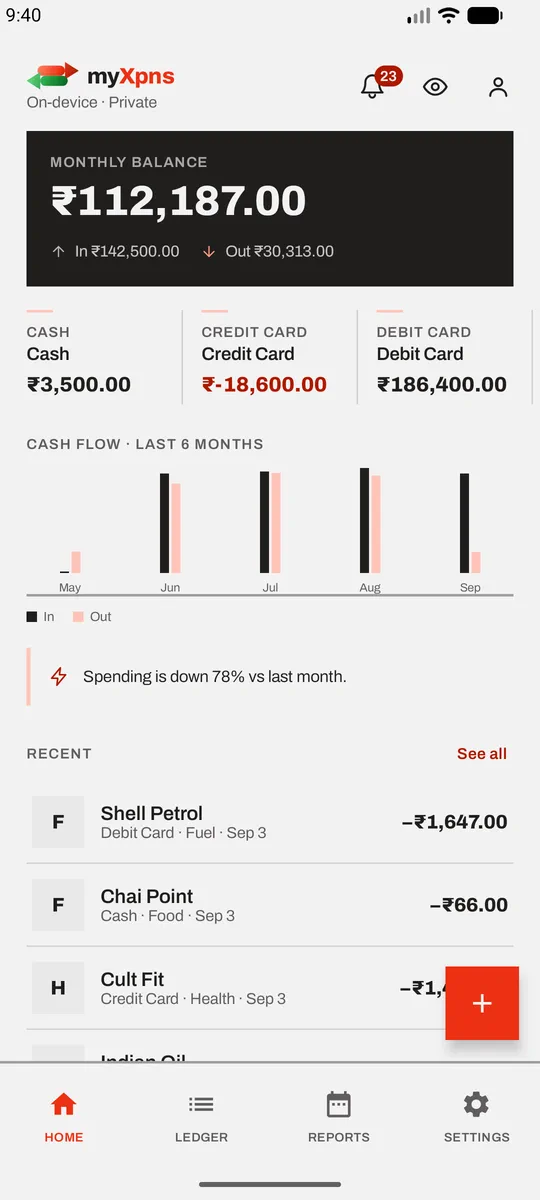
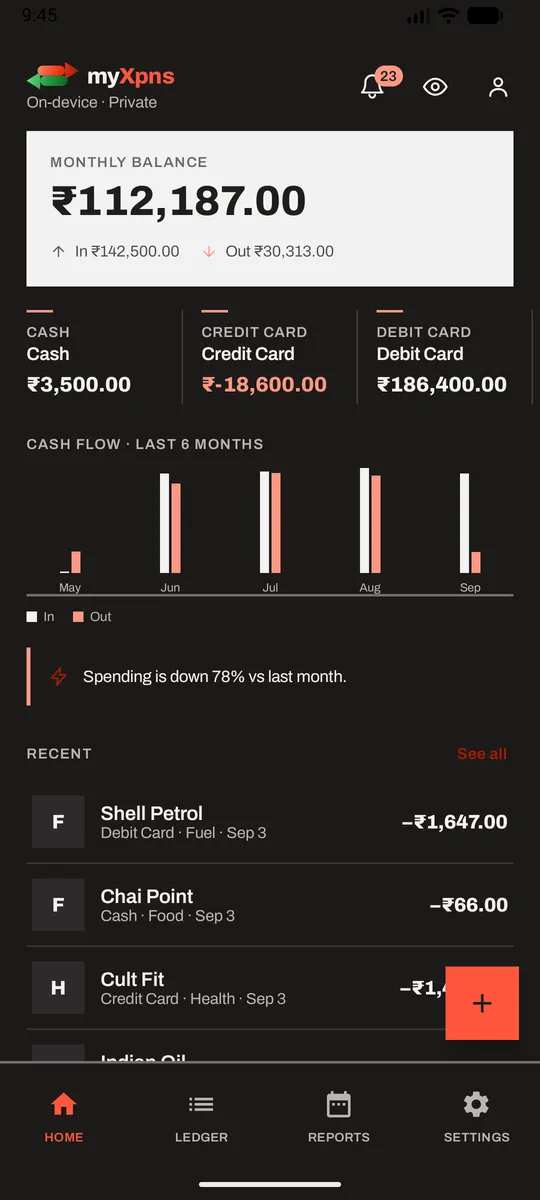
Balance, money in, money out. Every account you've defined with its own running total — and a credit card sitting at −₹18,600.00 shown for what it is. Six months of cash flow underneath, visualize beyond the numbers.
-
02
Captured, but queued
A bank alert becomes a proposed transaction, quoted next to the original message so you can check the parse yourself. It is not in your ledger until you tap Add. And if you'd rather not be asked every time, Add without review in Settings posts captured transactions straight to the ledger, using the same defaults the review screen would have filled in. It's your call either way — review is simply what you get until you decide otherwise.
-
03
You decide what gets read
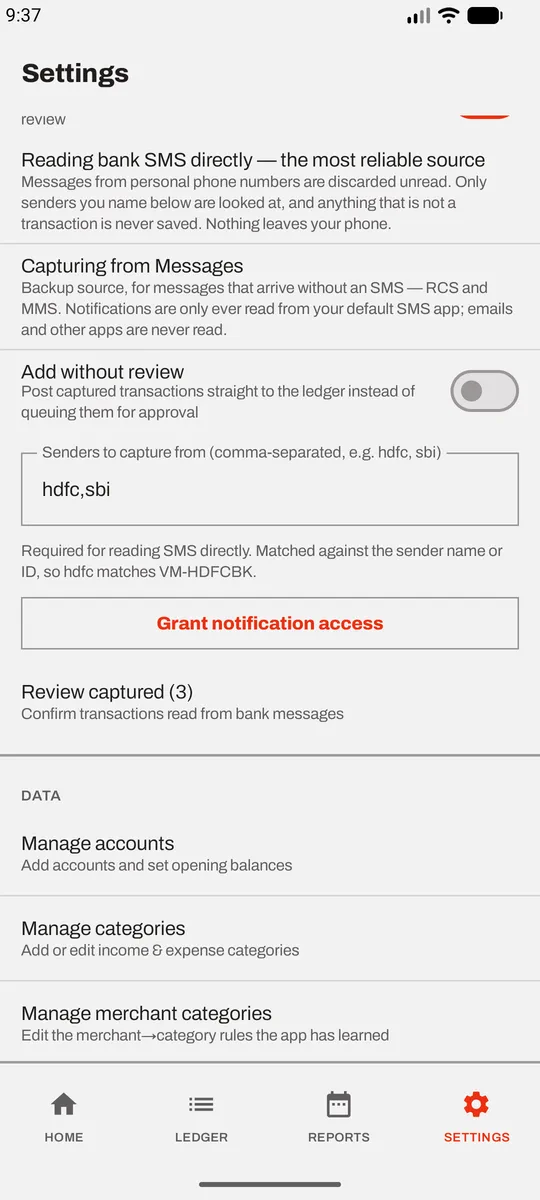
Type the banks you want captured. Until you do, capture reads nothing at all. Notifications are only ever read from your default SMS app — emails and other apps are never touched, no matter what their titles say.
-
04
Budgets that speak up once
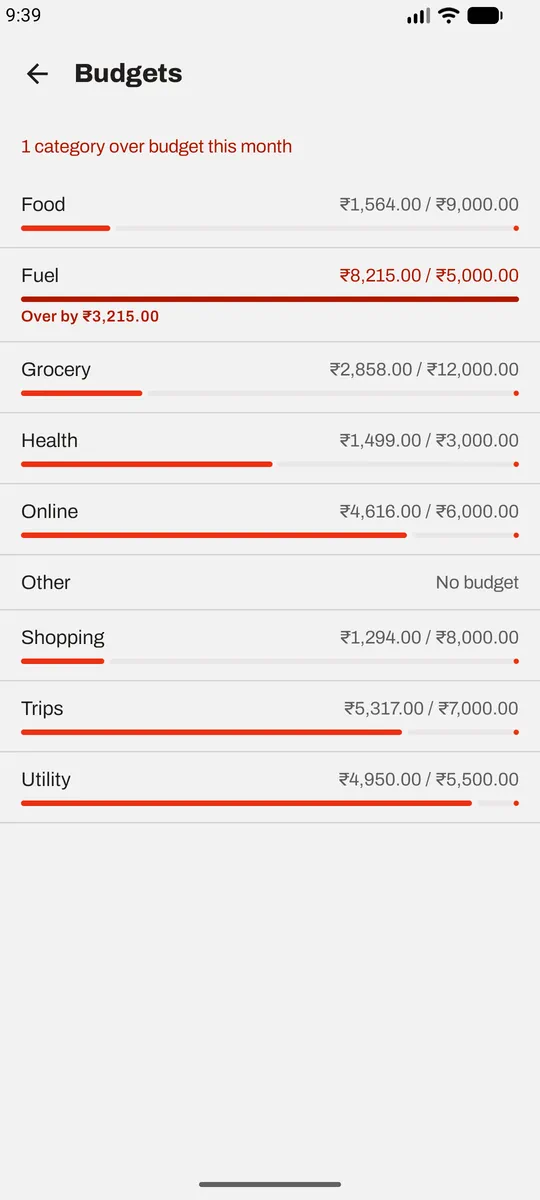
One recurring limit per category, set once and applied every month after. The alert fires on the crossing, not on every transaction after it — which is the whole reason it stays worth reading.
-
05
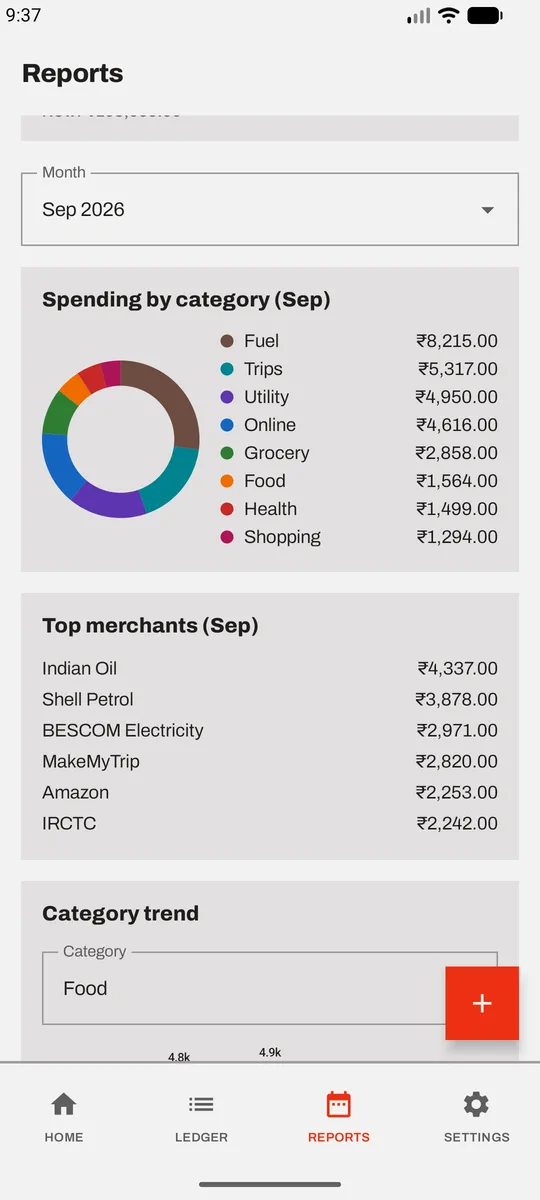
Where it actually went
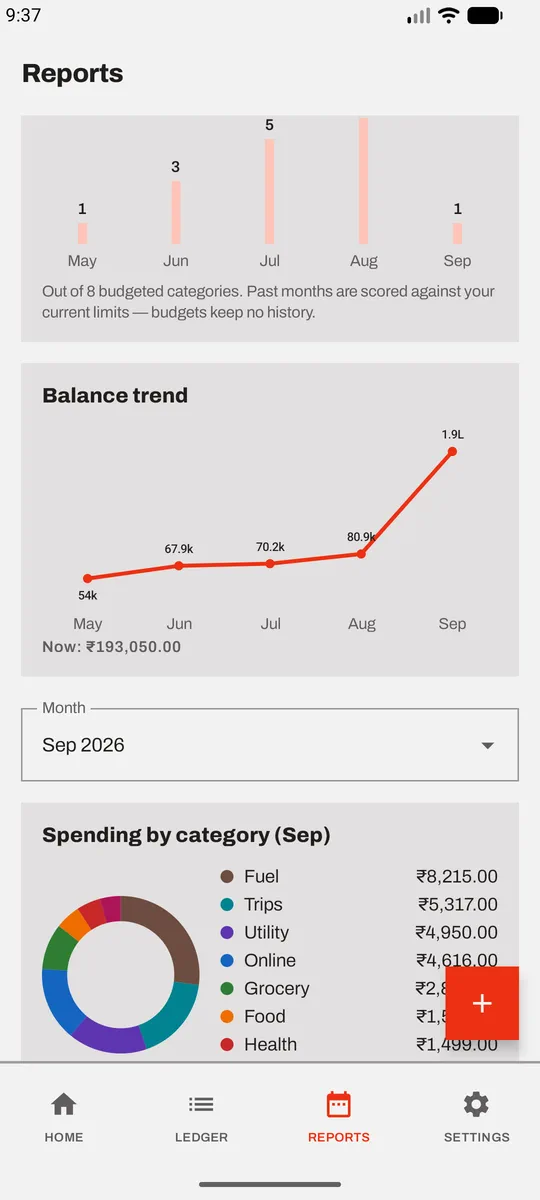
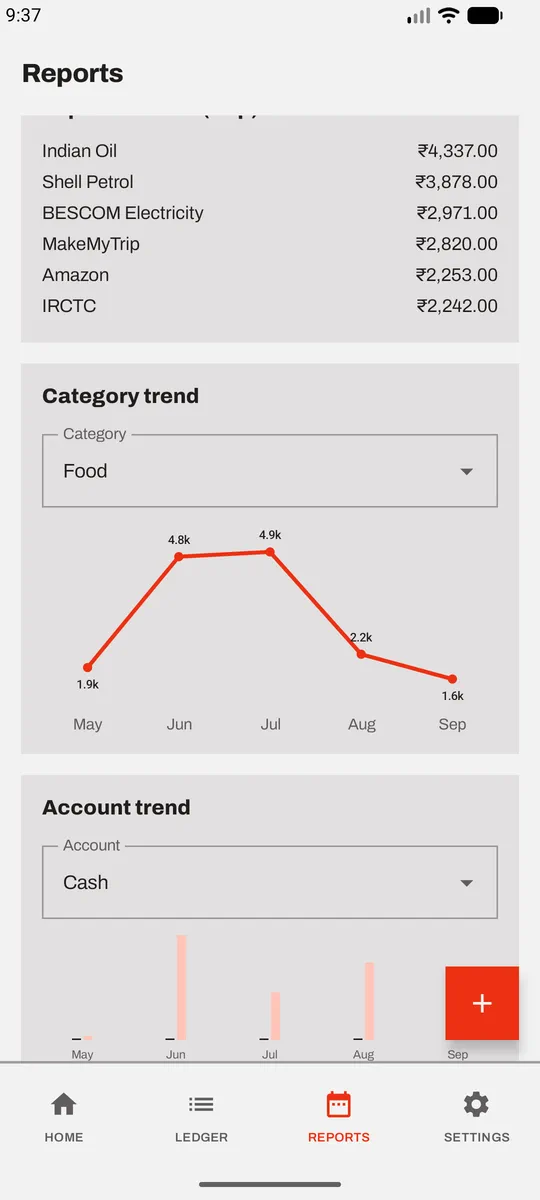
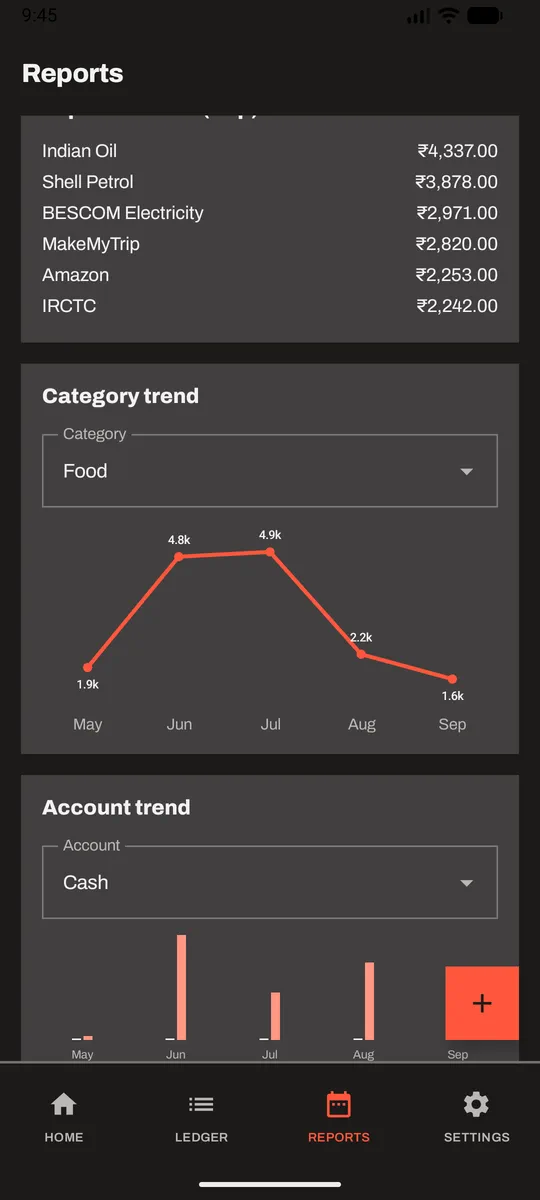
Spending by category and top merchants, plus a month-by-month count of how many budgets you overshot. Answers the question you were going to ask anyway.
-
06
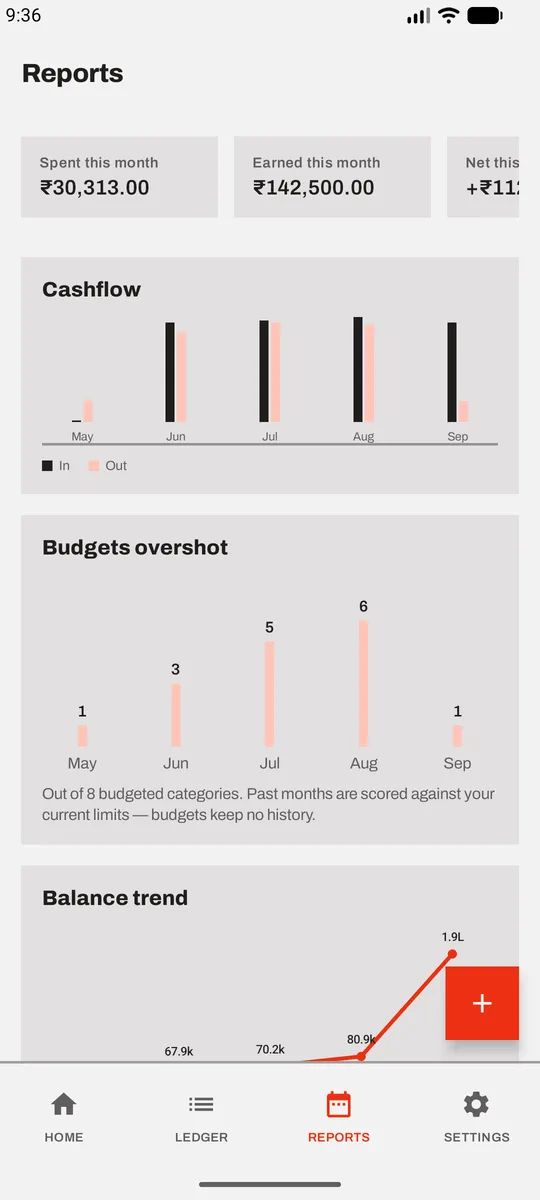
In against out
Cashflow and balance trend across six months. Transfers between your own accounts are stored as two linked legs and left out of both totals, so moving money never inflates your income or your spending.
-
07
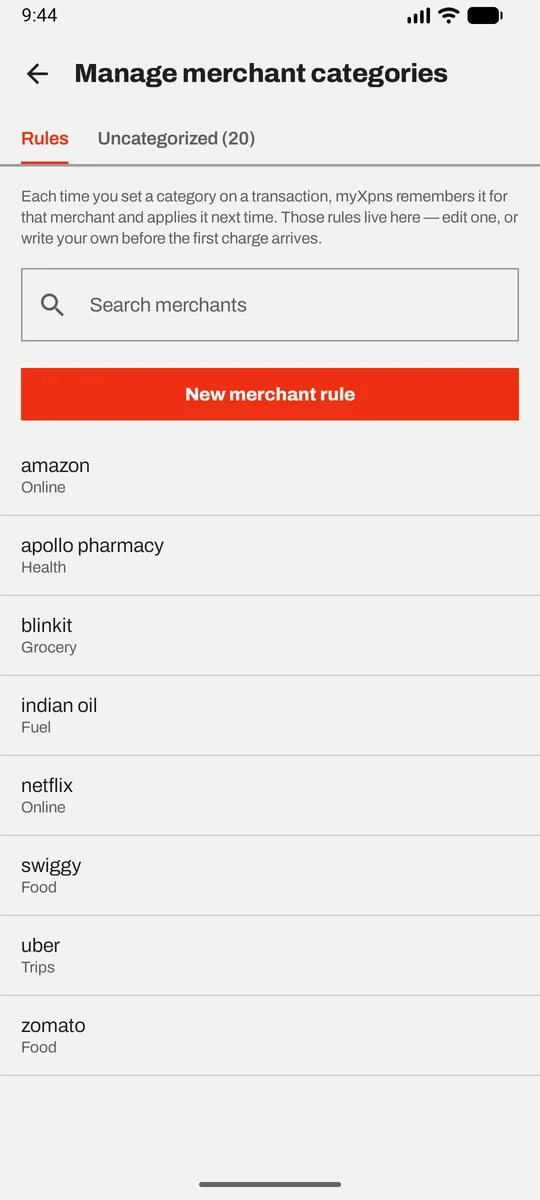
It learns your merchants
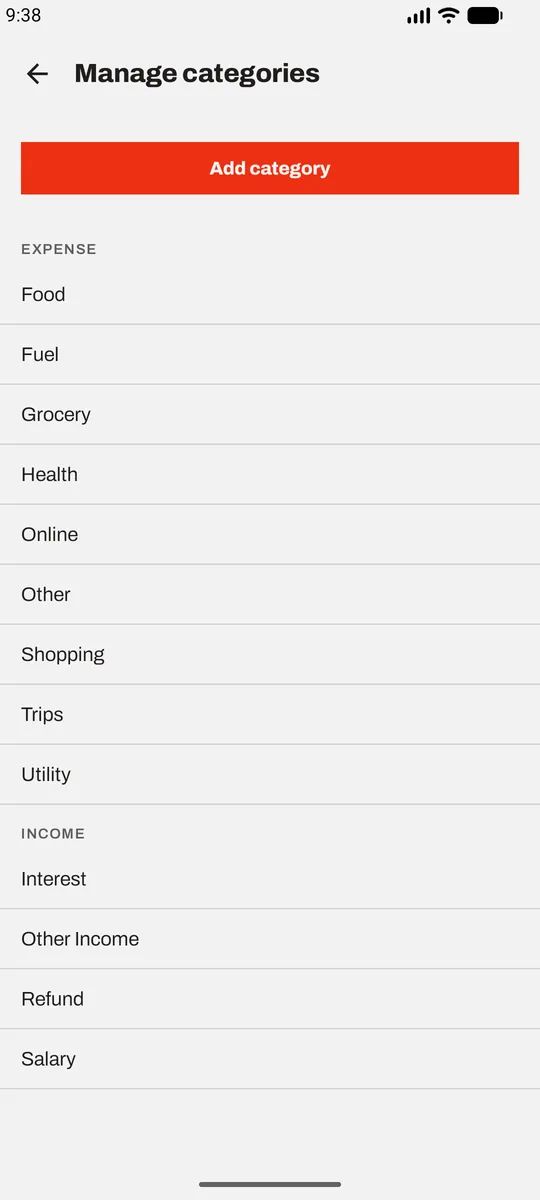
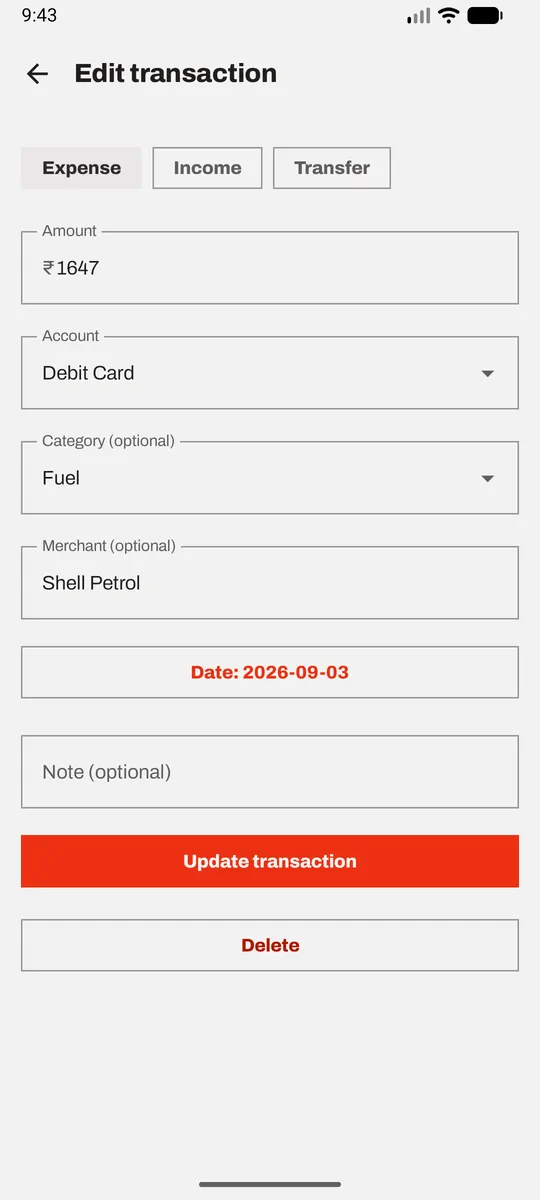
Set a category on a transaction and you've taught a rule — the next charge from that merchant files itself. Filing one can also tag the charges already sitting in this month's ledger, so a new rule fixes the mess that prompted it.
-
08
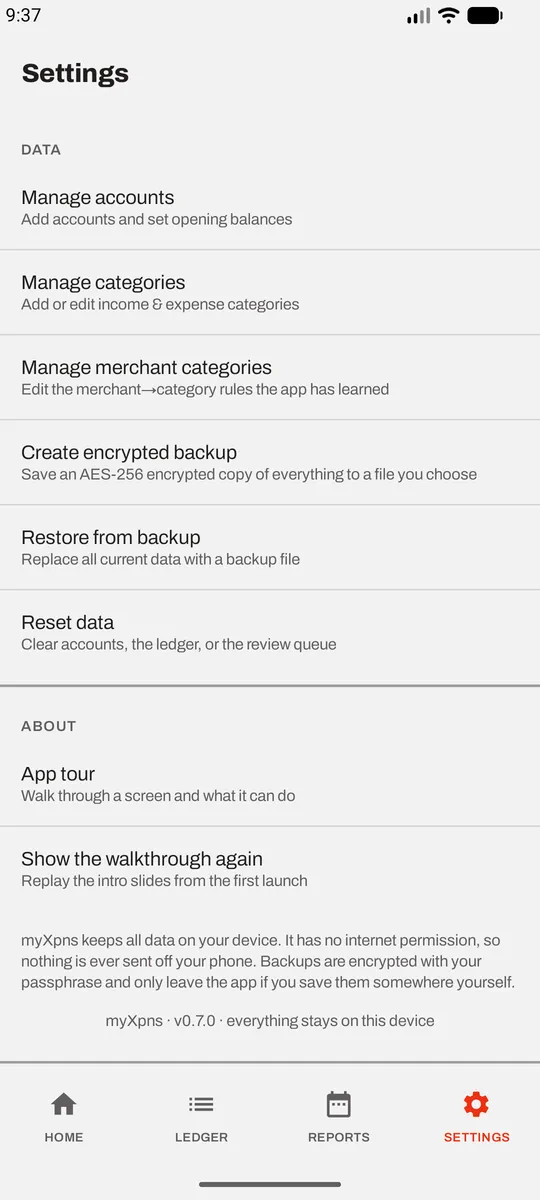
Your data, your call
An AES-256 encrypted backup with a passphrase you choose, which only leaves the app if you save the file somewhere yourself. Restore it, or wipe everything, whenever you like.
And the rest of the app.
Drag or scroll sideways.
-
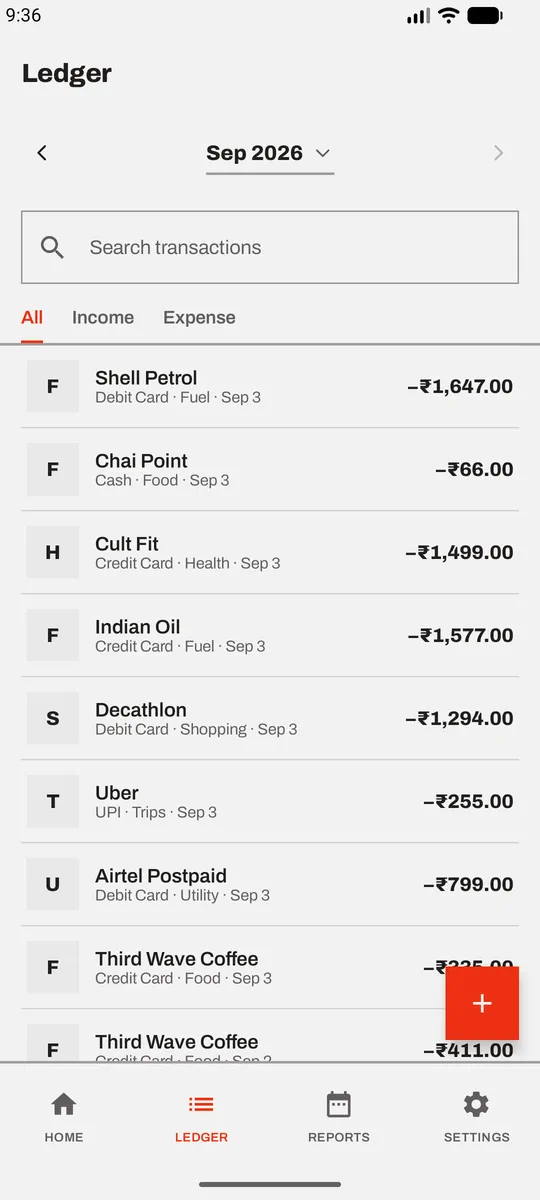
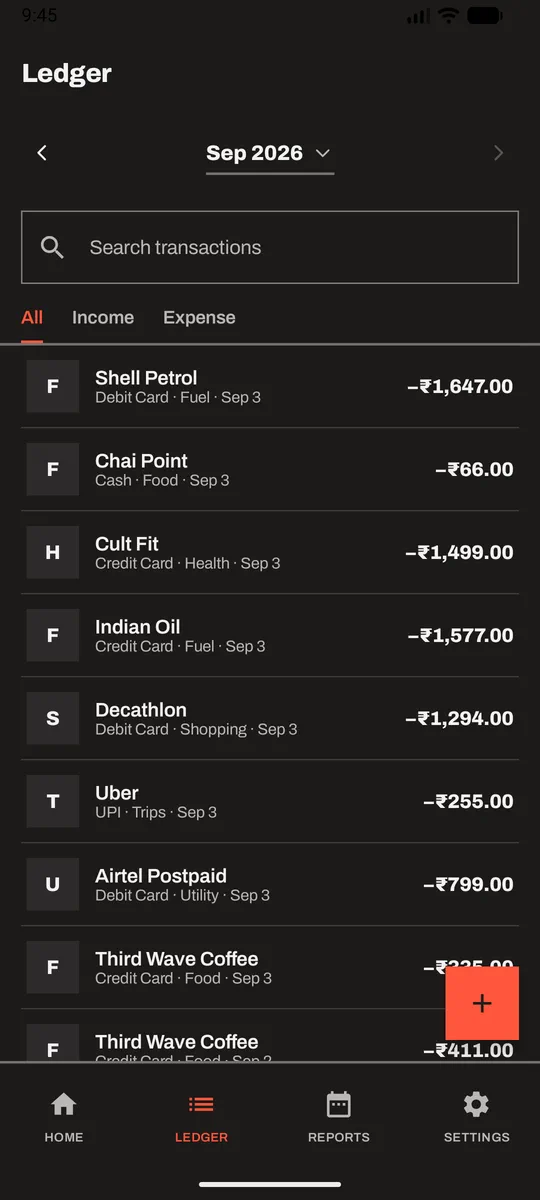
Ledger
-
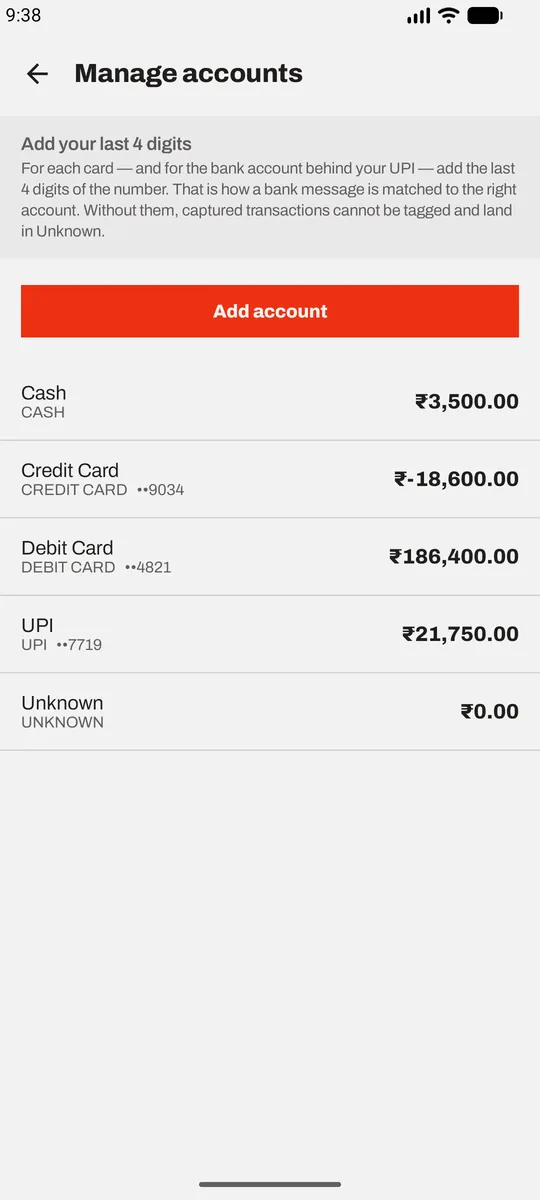
Accounts
-
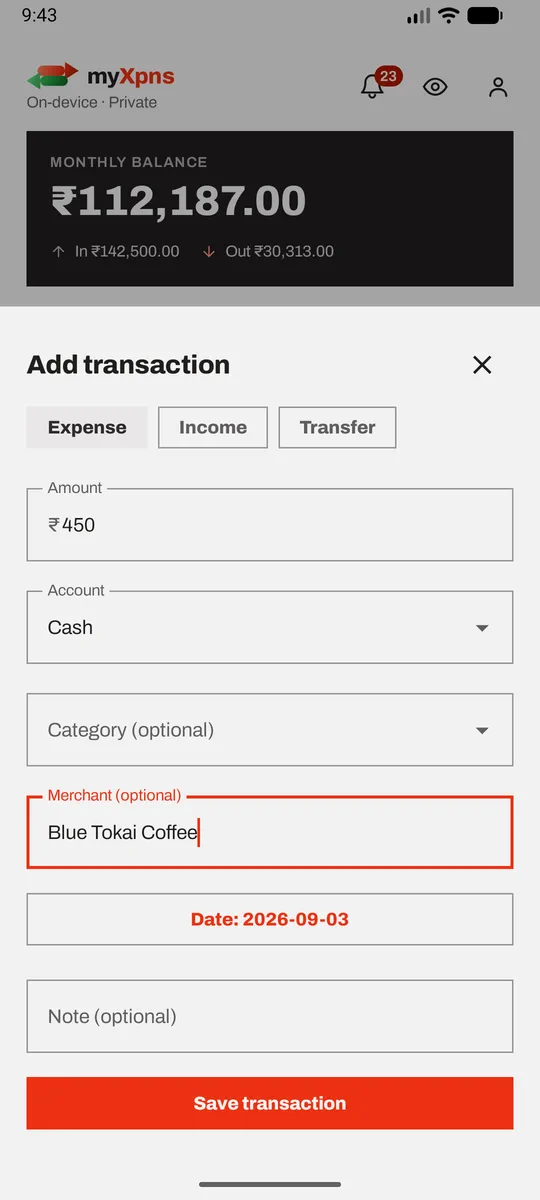
Add by hand
-
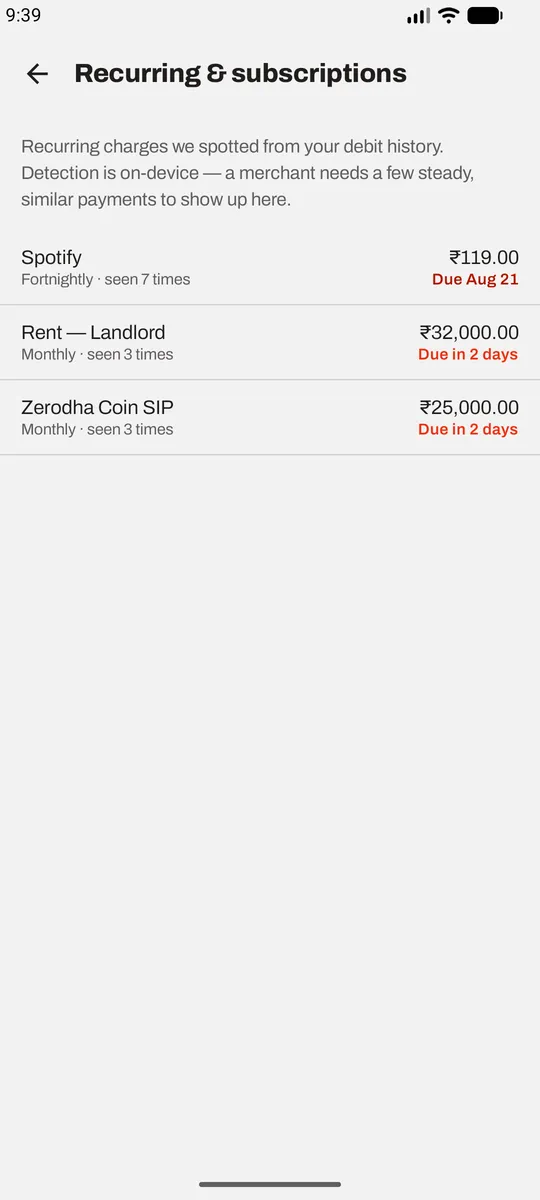
Recurring
-
Balance trend
-
Category trend
-
Categories
-
Edit anything
-
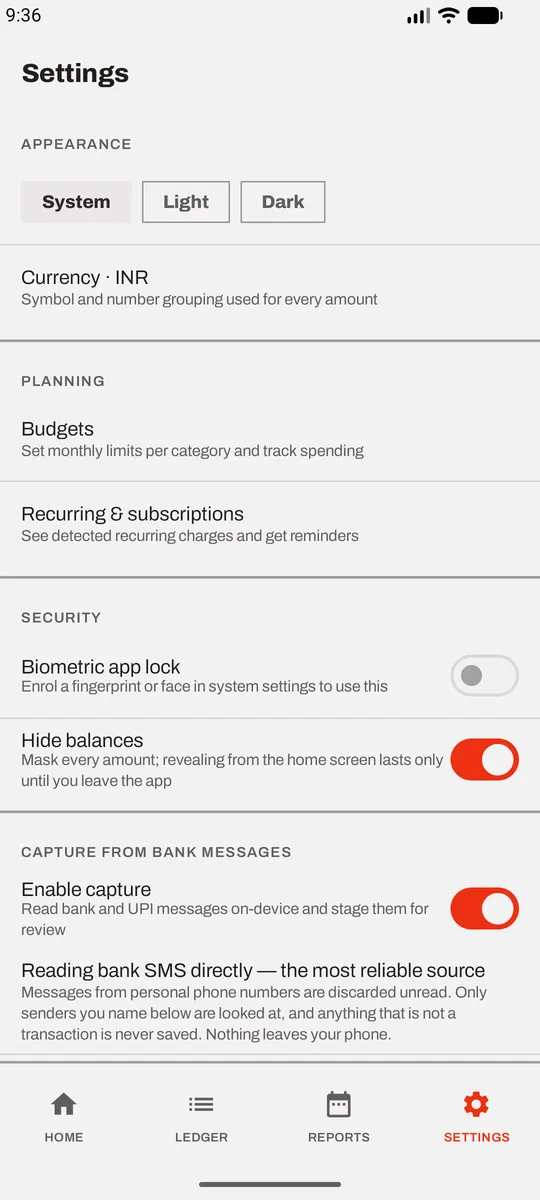
Appearance
How capture works
Two gates, and your list only narrows.
The interesting part of an app that reads your messages is everything it refuses to read. Here is the whole path a message takes.
Read straight from the telephony layer, so it keeps working whatever app handles your messages.
Covers RCS and MMS, which never fire an SMS broadcast. No other app's notifications are ever read.
- Messages from a personal phone number — dropped unread
- Notifications from any package that isn't your SMS app
- Everything, if you have named no senders at all
Matched against the sender ID only, never the message body. A filter can only ever narrow what is read — it is never a second way in.
The same payment arriving twice — once as an SMS, once as its notification — is collapsed into one row. What you approve is the only text that is kept, on a transaction you can see and delete.
The rest of it
A ledger, not just a tracker.
Real accounts
Cash, credit card, debit card, UPI — each with an opening balance and a running total. Stop using one and archive it; it leaves the pickers and keeps its history.
Transfers that don't lie
Moving money between your own accounts is stored as two linked legs and excluded from income and expense totals.
Recurring charges
Cadence detected from your own debit history, with a reminder before the next one lands.
Four alert channels
Over budget, capture, cash-flow warnings and the weekly nudge each get their own channel, so you can silence one without losing the others.
Encrypted backup
AES-256 with a passphrase you choose. It is not recoverable, and the file only goes where you put it.
Locked and hidden
Biometric app lock, plus a hide-balances switch for when someone is reading over your shoulder.
Home-screen widget
Your balance where you'll actually see it, without opening anything.
A tour that drives the real app
First run hands over to a read-only guided tour that opens each screen and points at what it does. Five chapters, replayable from Settings.
Day and night
Reads right in the dark, too.
Same flat palette, inverted properly — not just dimmed.
Straight answers
The questions you should be asking.
Will it read my personal messages?
No. Android hands every incoming SMS to any app holding RECEIVE_SMS — that is how the permission works, and myXpns can't opt out of being handed them. What it does with them is the point: anything from a personal phone number is rejected before the text is looked at. Only alphanumeric sender IDs and short codes get past that gate, and then only the ones you have named.
What actually leaves my phone?
Nothing, unless you export it. The app declares no internet permission, so there is no code path that could send anything anywhere — no analytics, no crash reports, no sync. The only copy that exists outside the app is an encrypted backup file, if you make one and save it somewhere yourself.
Why does a budgeting app need SMS access at all?
Because it is the honest alternative to the usual one: handing a third party your bank login through an aggregator, so their servers can see every transaction. Your bank already texts you each transaction. Reading that text on your own device, and never sending it anywhere, gets you the same ledger without anyone else in the room.
When can I actually install it?
Android is close — the ledger, capture, reports and alerts are built and working at v0.7.0. Distribution is the slow part: RECEIVE_SMS and notification access are sensitive permissions, and a Play Store listing needs a Permissions Declaration filed under the SMS/Call Log policy's "SMS-based money management" exception. That is a real, named path for budgeting apps, but it is reviewed on every update. iOS is further out — the platform has no equivalent of reading an SMS, so capture there has to work differently.
Put your name down and you'll hear when there's a build to install.
What happens if I lose my phone?
Whatever you backed up is what you have. That is the trade: no server holding your data also means no server holding your data for you. Backups are a passphrase-encrypted file you create and store yourself, and the passphrase is not recoverable.
Does it work outside India?
The ledger, budgets, reports and currency selection are not India-specific. The message parser was built and tested against Indian bank and UPI alert formats, so capture accuracy elsewhere depends on how closely your bank's alerts resemble those. Manual entry always works, and you can tell us what your bank's messages look like.
What does it cost?
Nothing is being sold yet and there is nothing to subscribe to. There are no ads and no analytics — with no network permission there is no way to serve either, which is rather the point.
Your money, on your device,
and nowhere else.
Early access is a short form. We'll tell you when there's a build worth installing — and nothing else.
Get early access